Delete Your Bholavashi Account
This page explains how Bholavashi users can request account deletion through official support. Bholavashi is operated by Sohoj IT.
How to request account deletion
To delete your Bholavashi account, please contact our support team from the app or email us using the phone number or email connected to your account. This helps us verify ownership before deleting account data.
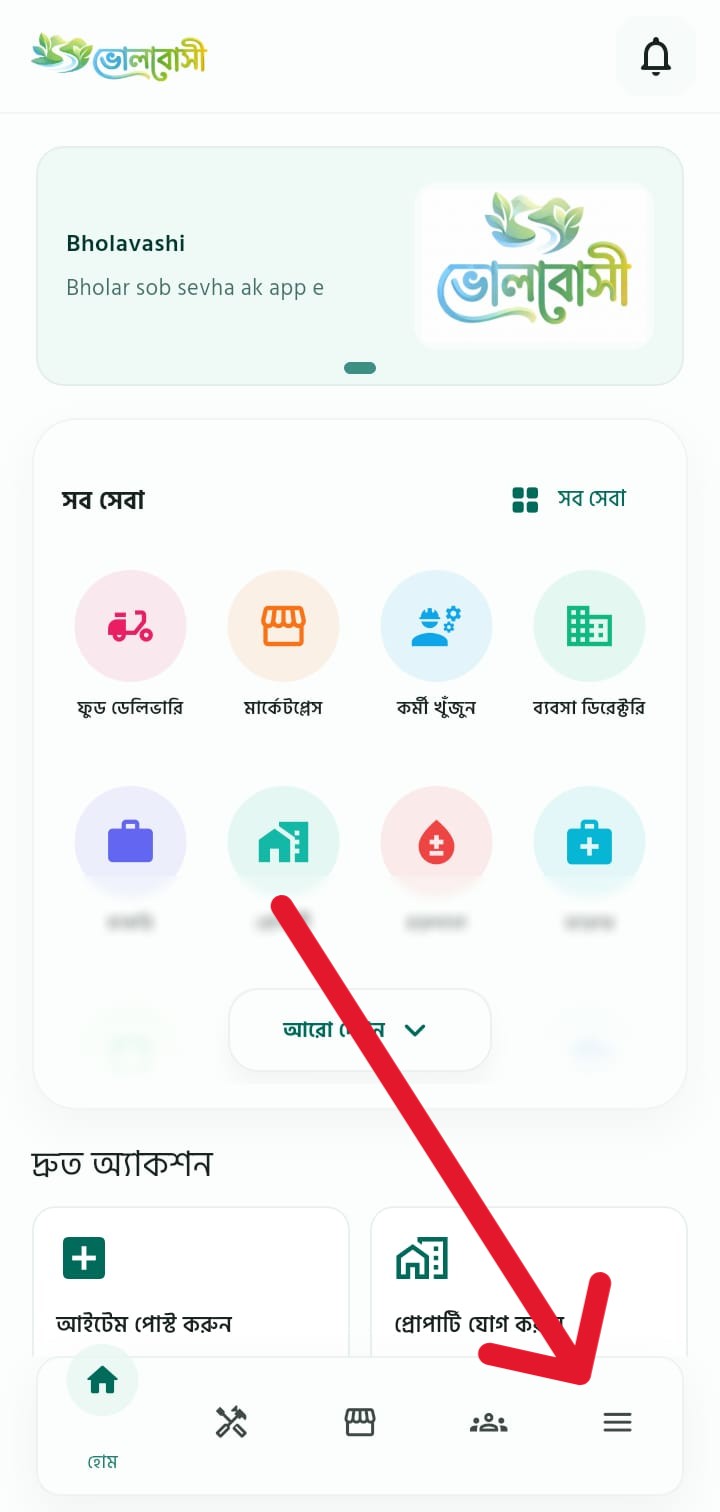
Open the app
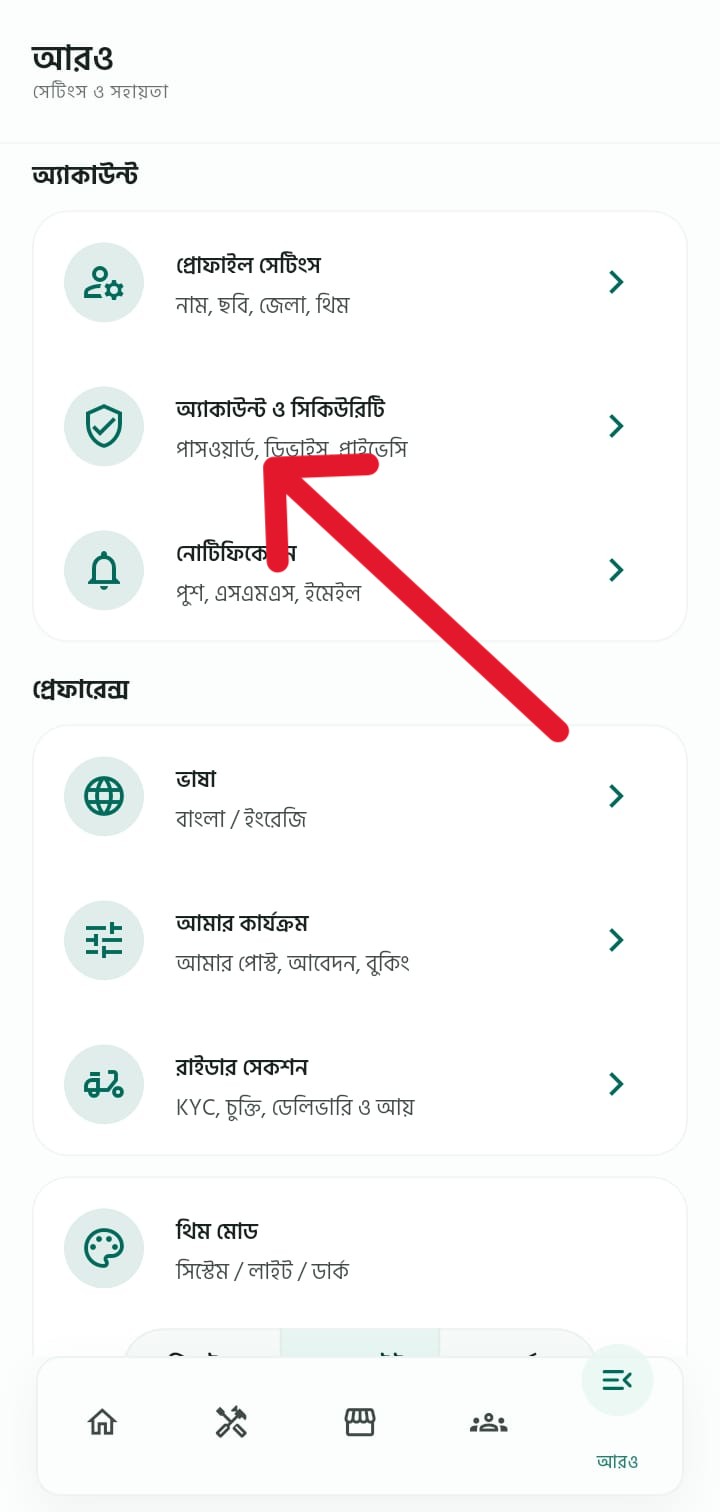
Go to More, then open Account & Security.
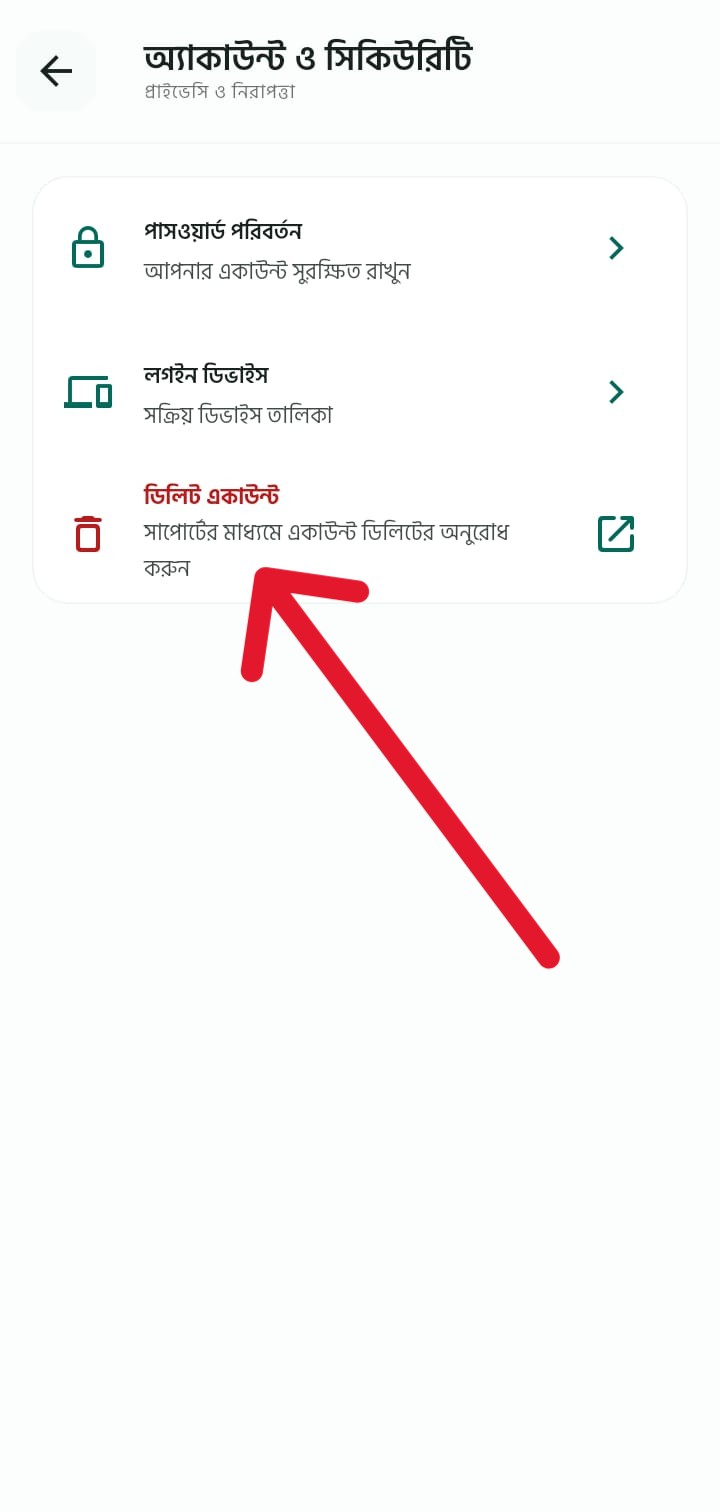
Select Delete Account
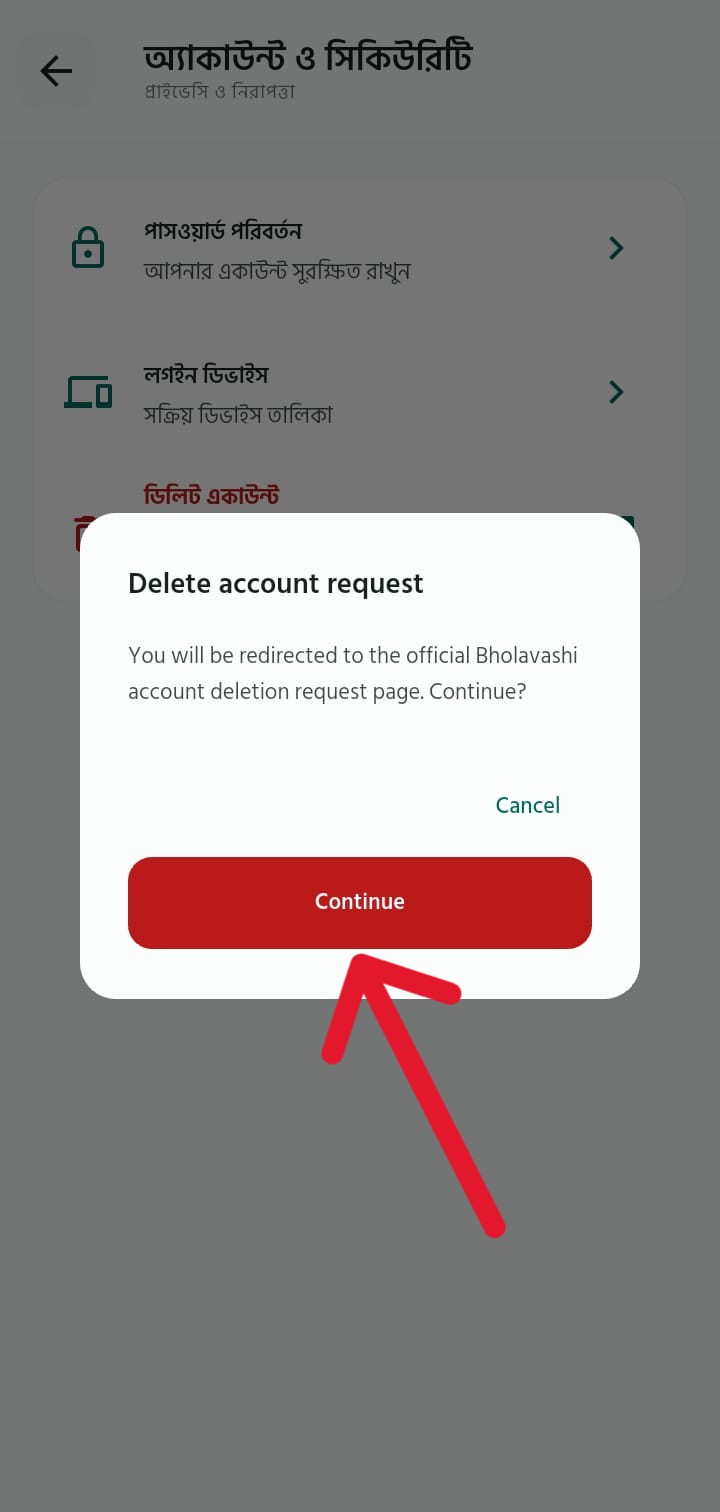
Confirm that you want to open the deletion request page.
Contact support
Email support@bholavashi.site with your registered phone or email.
Verification and deletion
After verification, eligible account data will be deleted or anonymized.
Mobile app screenshots
The screenshots below show where the delete account request option is available inside the Bholavashi app.
What data may be deleted
- Profile information such as name, phone, email, profile photo and saved addresses may be deleted or anonymized.
- Device notification tokens and non-essential account records may be removed.
- Uploaded user content may be removed where deletion is legally and operationally possible.
What data may be retained
Some records may be retained where required for legal, safety, accounting, fraud prevention, order dispute, payout, tax or business record purposes. Examples include completed order records, payment references, delivery records, rider payout records and support history needed to resolve disputes.
Contact
To request deletion, email support@bholavashi.site with your registered phone number or email address. You may also use the Help & Support section inside the Bholavashi app.